A Wi-Fi printer was degrading voice calls: a three-step Scout + Pulse diagnosis
By the NoMYST team, MPI · Published 18 September 2026
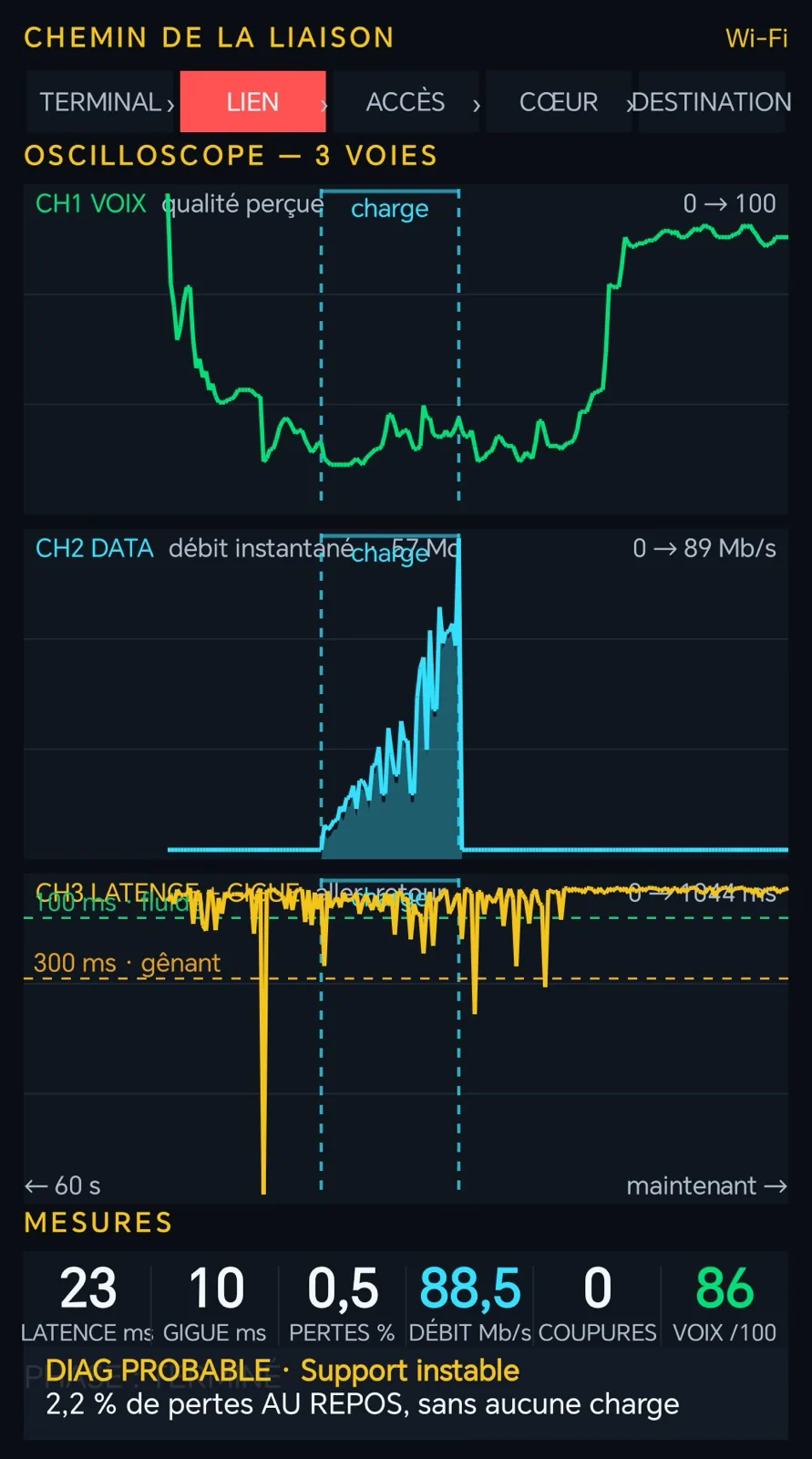
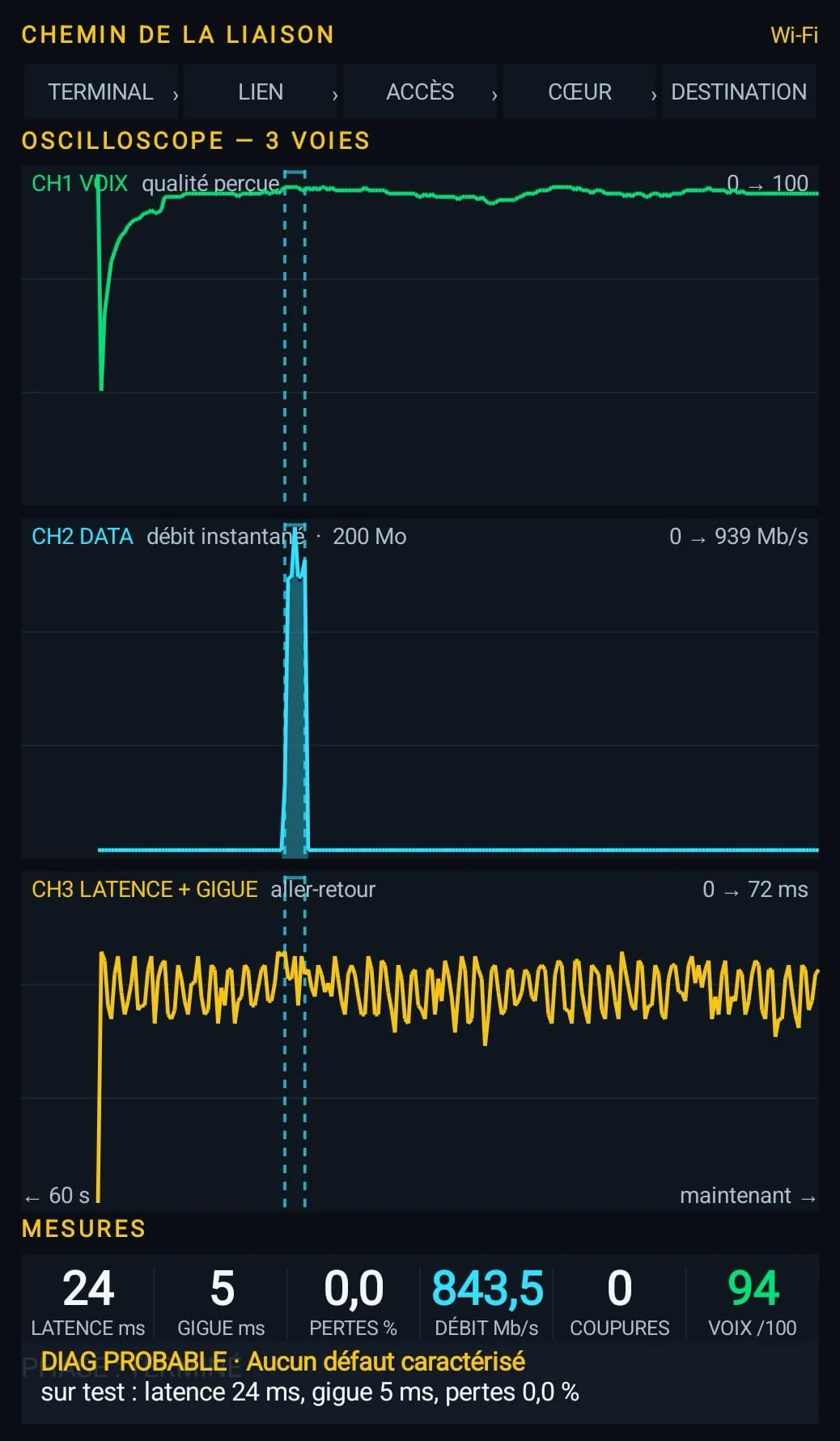
In a business premises, calls over Wi-Fi kept cutting out while throughput looked normal. Pulse measured 2.2% packet loss at rest, Scout showed a Wi-Fi printer on the access point's channel, and the measurement after the fix gave a voice score of 94/100 with no loss.
Context
The site is a business premises equipped with a Wi-Fi access point. The reported symptom: choppy VoIP and video calls, while a speed test gave correct values.
This is a typical root-cause search. With a simple speed test, the conclusion would have been “the link is fine, the problem is elsewhere”, and the search would have gone down the wrong path.
Measurements
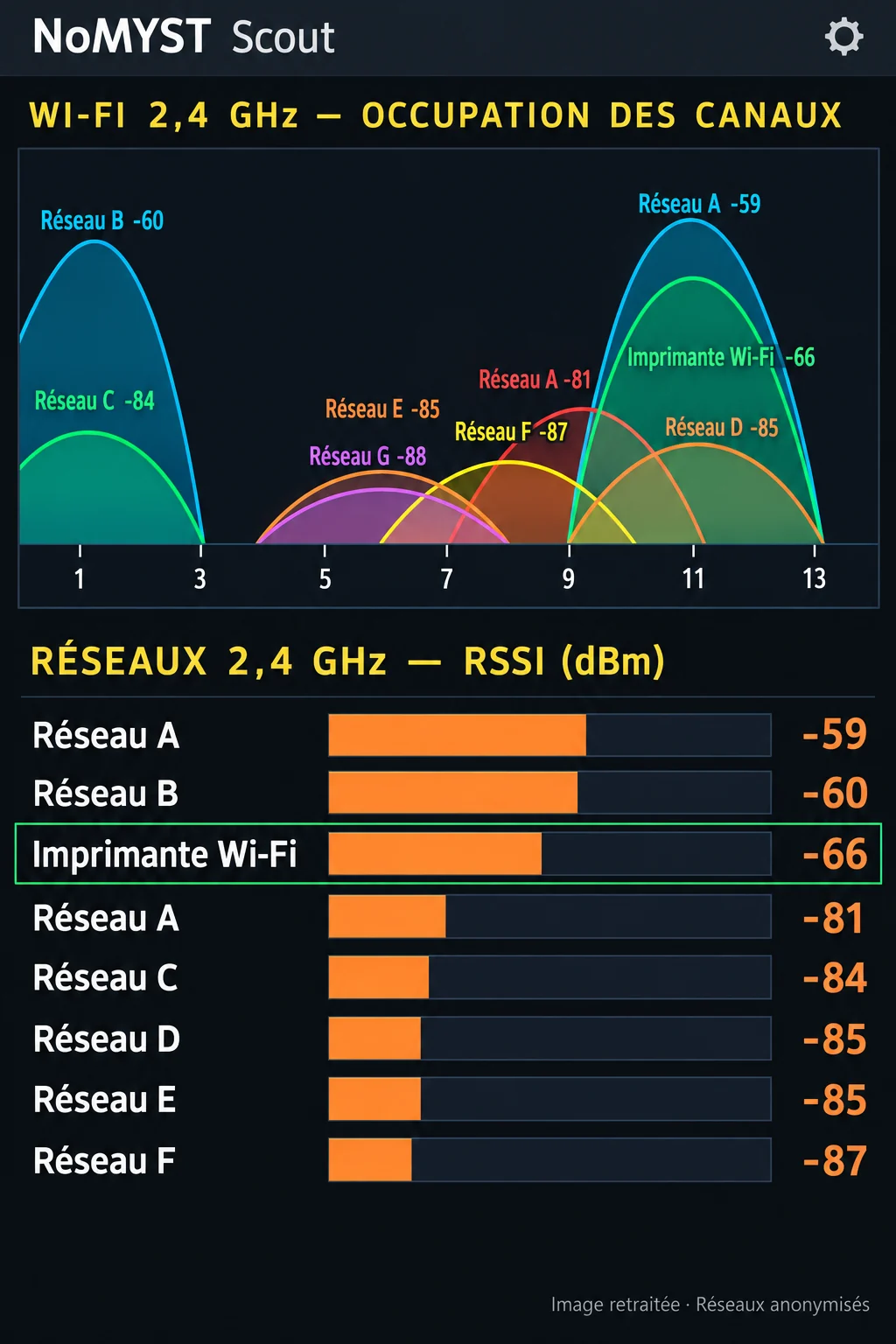
01 · Pulse · Observe the faultVoice quality drops. Pulse flags an unstable medium and records 2.2% loss at rest, before any load. Loss at rest rules out saturation: the link is disturbed on its own.02 · Scout · Find the causeScout's 2.4 GHz Wi-Fi analysis reveals a printer's network at −66 dBm on the access point's channel. On-site investigation identifies the printer, in direct access-point mode, as the source of the disturbance.03 · Pulse · Verify the improvementAfter the printer's network is disabled, Pulse shows stable voice quality: 94/100, 5 ms jitter and no loss observed during this test.
2.2%loss at rest, before
−66 dBmprinter on the access point's channel
94/100voice score, after
5 msjitter, after
Reading
The two tools complement each other. Pulse measures link quality and dates the symptom; it does not see the cause. Scout analyses the radio environment and shows the interferer; it does not say whether a conversation holds. Pulse's before/after closes the case.
The decisive point is reading loss at rest. Loss that exists before any load points to a local disturbance, not to a lack of capacity. That reasoning can be reproduced on any Wi-Fi site.
What this case does not prove
This case does not show that every loss at rest comes from a Wi-Fi interferer, nor that the chosen fix (disabling the printer's network) suits every site. It shows a method: measure, search, verify.